What's new in HiveMQ Edge 2026.6
HiveMQ Edge 2026.6 adds data acquisition improvements to the gateway capabilities of the product. We've enhanced tag namespecing to enable better scalability and the reuse of tag names across a deployed instance of HiveMQ Edge, and added the ability to collect addional metadata from OPC-UA connections.
Adapter-Namespaced Tags
What It Is
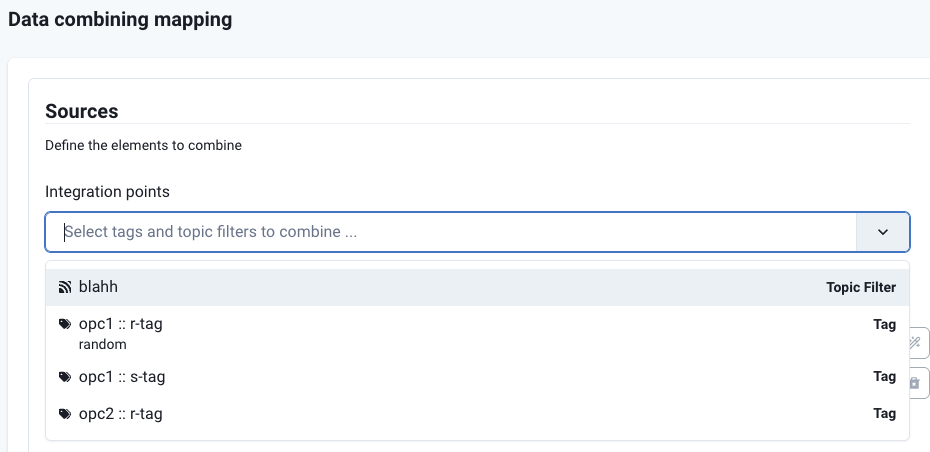
HiveMQ Edge now scopes tags to their protocol adapter. Previously, every tag name had to be unique across the entire Edge instance. With this improvement, the same tag name can exist in multiple adapters simultaneously, tags are identified by the combination of their adapter and their name, written as AdapterName :: TagName.
This change affects how tags appear throughout the Console, how they are referenced in Data Combiners and Pulse Asset mappings, and how they are validated via the REST API.
How It Works
Tags are now displayed with their adapter prefix everywhere they appear in the interface:
- In the Workspace Overview, tags show their adapter context alongside the tag name
- In Northbound and Southbound Mappings, each tag is rendered as
[ ICON | AdapterName :: TagName ] - In the Data Combiner, the sources selector, trigger selector, and mapped property names all reflect the adapter scope, so instead of opaque names like
tg0_value, you see meaningful references tied to a specific adapter
The REST API enforces scope on all tag operations. Tags submitted without a valid scope are rejected with a clear error. The same validation applies to topic filters and combiner definitions loaded via the configuration file.
When configuring a Data Combiner and Pulse Assets with tags from multiple adapters that share the same tag name, the scope makes each source unambiguous in the mapping view.
How It Helps
In real-world deployments, it is common for multiple protocol adapters to use the same tag names, for example, temperature or pressure from a dozen different devices. Previously this required workarounds such as manually prefixing every tag name to ensure global uniqueness, which added configuration overhead and made deployments harder to read and maintain.
Tag Scoping removes this constraint entirely. Tags only need to be unique within their own adapter, which mirrors how devices and data sources are naturally organized. The consistent AdapterName :: TagName notation also makes the origin of any data point immediately clear, reducing ambiguity during configuration and troubleshooting.
OPC-UA Metadata in MQTT Payloads
What It Is
HiveMQ Edge now gives you per-tag control over whether OPC-UA metadata is included in outgoing MQTT messages. A new includeMetadata field on Northbound Mapping definitions lets you opt in to metadata — such as server timestamps and OPC-UA node information — being appended to the payload for any individual tag.
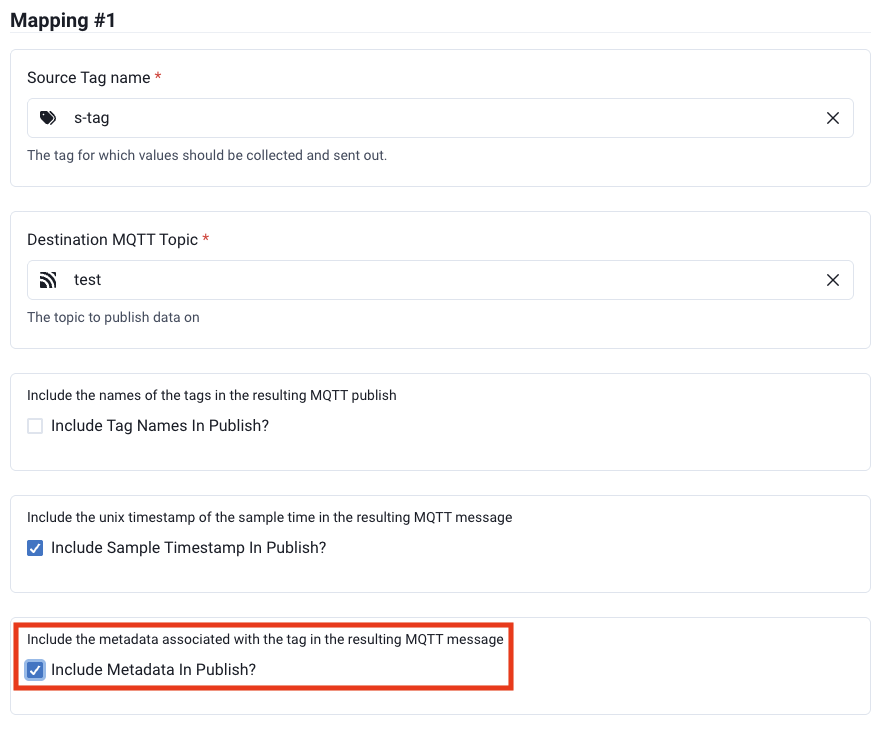
When includeMetadata is not set or is false, the MQTT message format is identical to before:
{
  "tagName": "temperature",
  "timestamp": 1770226572151,
  "value": 41.03
}
When includeMetadata is true, the OPC-UA-specific metadata for that tag is included alongside the value.
How It Works
When includeMetadata is disabled (the default), your MQTT message format is unchanged:
{
  "tagName": "ready",
  "timestamp": 1770226572151,
  "value": 41.03
}
When enabled, a metadata field is added containing OPC-UA-specific fields:
{
  "tagName": "ready",
  "timestamp": 1770226572151,
  "value": 41.03,
  "metadata": {
    "statusCode": {
      "code": 0,
      "symbol": "Good"
    },
    "sourceTimestamp": 1770226572149,
    "serverTimestamp": 1770226572150,
    "sourcePicoseconds": 1234,
    "serverPicoseconds": 34567
  }
}
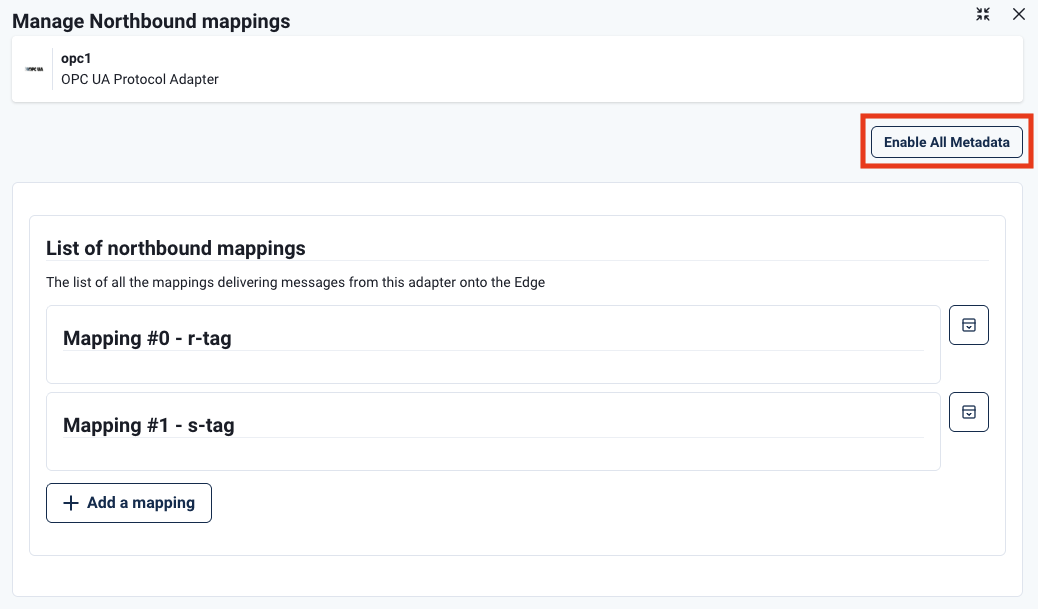
You can enable metadata at the adapter level with a single Enable All Metadata toggle, then override it for individual tags, useful for enabling metadata on most tags while disabling it for high-volume tags where payload size is a concern.
How It Helps
OPC-UA devices expose rich context alongside data values — server timestamps, source timestamps, status codes, and node identifiers. This metadata is essential for use cases like deduplication in high-availability setups and for downstream consumers that need to distinguish OPC-UA source context from the Edge processing timestamp. By making this opt-in per tag, HiveMQ Edge gives you precise control over payload size and content without requiring a blanket configuration change.
Get Started Today
Use the download link to get HiveMQ Edge 2026.6, or find us on GitHub and Docker:
Get started by running
docker run --name hivemq-edge --pull=always -d -p 1883:1883 -p 8080:8080 hivemq/hivemq-edgeOr clone our repository
git clone git@github.com:hivemq/hivemq-edge.gitYou may also try out our Helm Chart
helm repo add hivemq https://hivemq.github.io/helm-charts && helm repo update