What’s new in HiveMQ Edge 2024.7
This update brings WebSocket support for HiveMQ Edge Bridge connections and several protocol adapter improvements such as non-global access for EthernetIP.
WebSocket Support for Bridge Connection
How it works
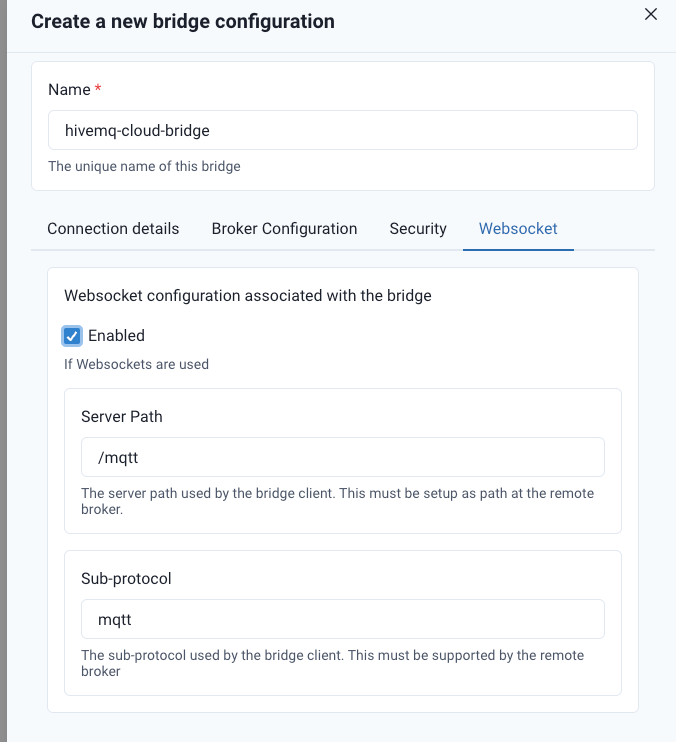
The WebSocket bridge connection can be configured per Bridge connection in the WebSocket tab. For example, to connect your HiveMQ Edge with HiveMQ Cloud, you simply need to collect your details about the WebSocket connection from the cluster information page found within the Cloud Console.
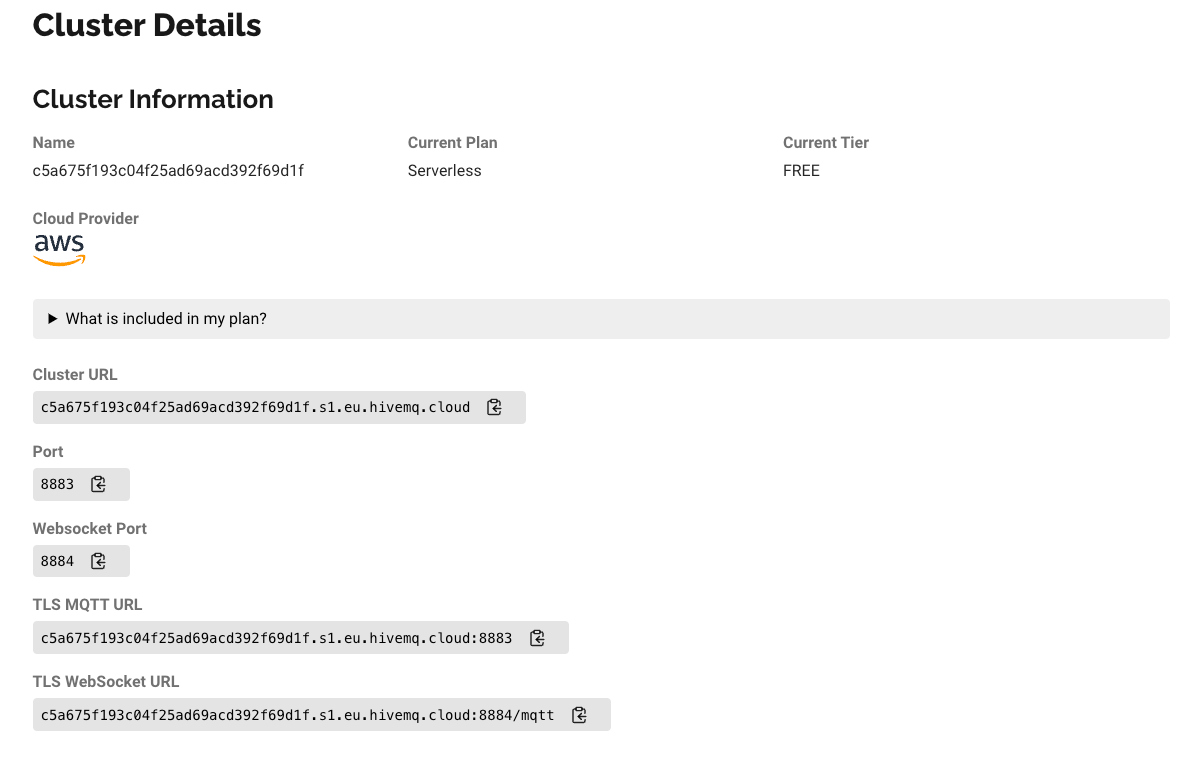
Copy the Cluster URL and paste it into the Host field of the Bridge connection configuration
menu in your Edge web application. As this is a HiveMQ Cloud web socket connection the port
should also be configured to 8884. In HiveMQ. In HiveMQ Cloud, you will also have to create
a user who is allowed to publish, to ensure your Edge messages arrive at the Cloud Cluster.
You can configure this under “Access Management” in HiveMQ Cloud.
The username and password have to be applied to the HiveMQ Edge Bridge configuration menu
below the Host field.
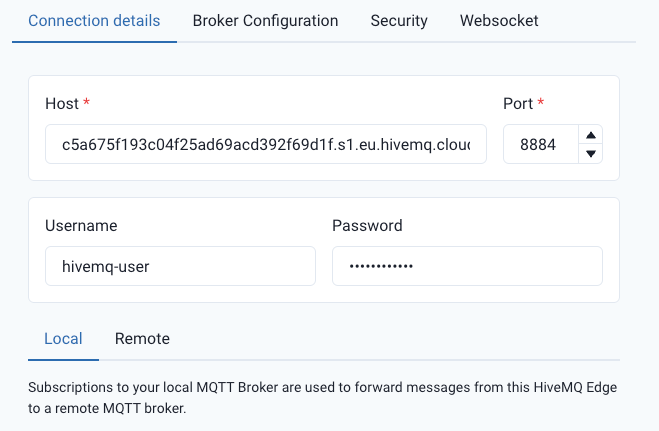
With Host and access credentials in place you can navigate to the WebSocket tab in the configuration menu and enable WebSocket connection for this host.
How it helps
Websocket connections enable bidirectional communication over a single TCP connection. If your broker only has a WebSocket endpoint available, this new feature enables you to connect HiveMQ Edge to your MQTT solution without any complicated workarounds.
Additional Features and Improvements
- Corrected an issue that caused user property configuration to read and saved with incorrect spelling
- Support non-global access to EthernetIP (Allen Bradley)
- UI improvements for user properties in protocol adapters
- Significantly improved handling of protocol adapter with high load usage
- Bugfix for ADS connectivity
Get Started Today
Get started by running
docker run --name hivemq-edge --pull=always -d -p 1883:1883 -p 8080:8080 hivemq/hivemq-edgeor clone our repository
git clone git@github.com:hivemq/hivemq-edge.git